Commerce7 Meta pixel: how to check it is working on your wine pages
A Meta pixel can load on every page of a Commerce7 site and still tell Meta almost nothing about your wines. Here is what a working setup sends, how to check yours in five minutes with free tools, and the problems that show up most often.
 By Dumitru C., 7Labs
Updated
5 min read
By Dumitru C., 7Labs
Updated
5 min read
What a working pixel sends on a winery site
Meta builds audiences and decides who sees your ads from the events your site sends. For a winery that sells online, these are the events that matter:
| Event | When it should fire | What it needs to carry |
|---|---|---|
| PageView | Every page, once | Your pixel ID |
| ViewContent | Each wine page | content_ids (the wine’s SKU), value, currency |
| AddToCart | A wine goes in the cart | content_ids, value, currency |
| InitiateCheckout | Checkout opens | value, currency |
| Purchase | The order is placed | value, currency, and an event ID if a server sends the same order |
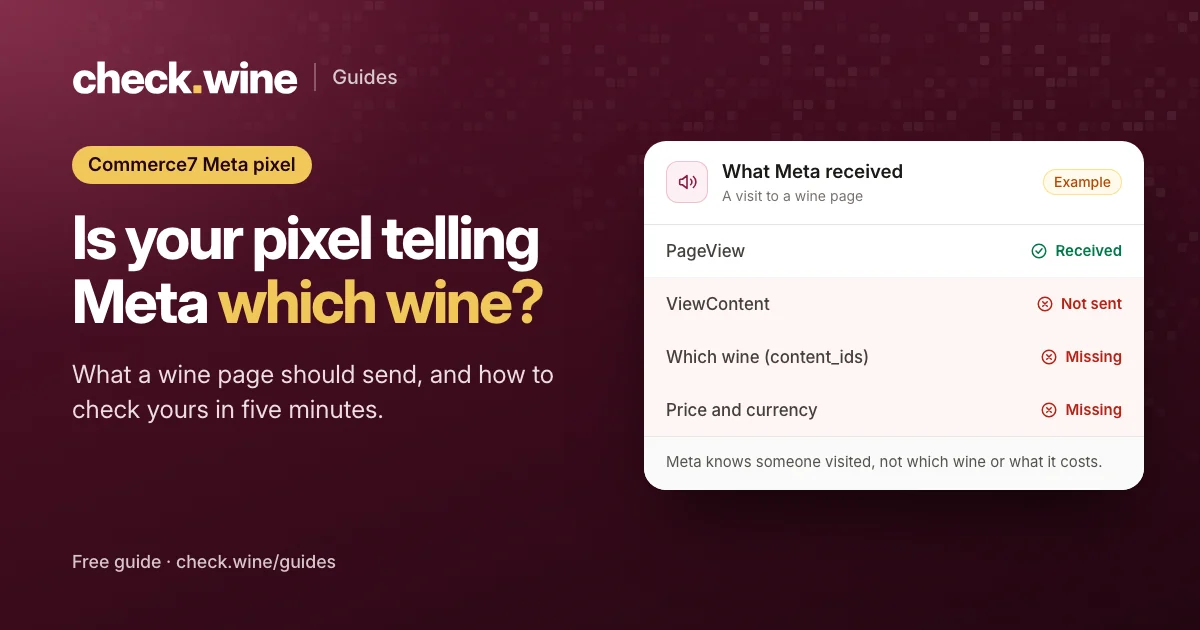
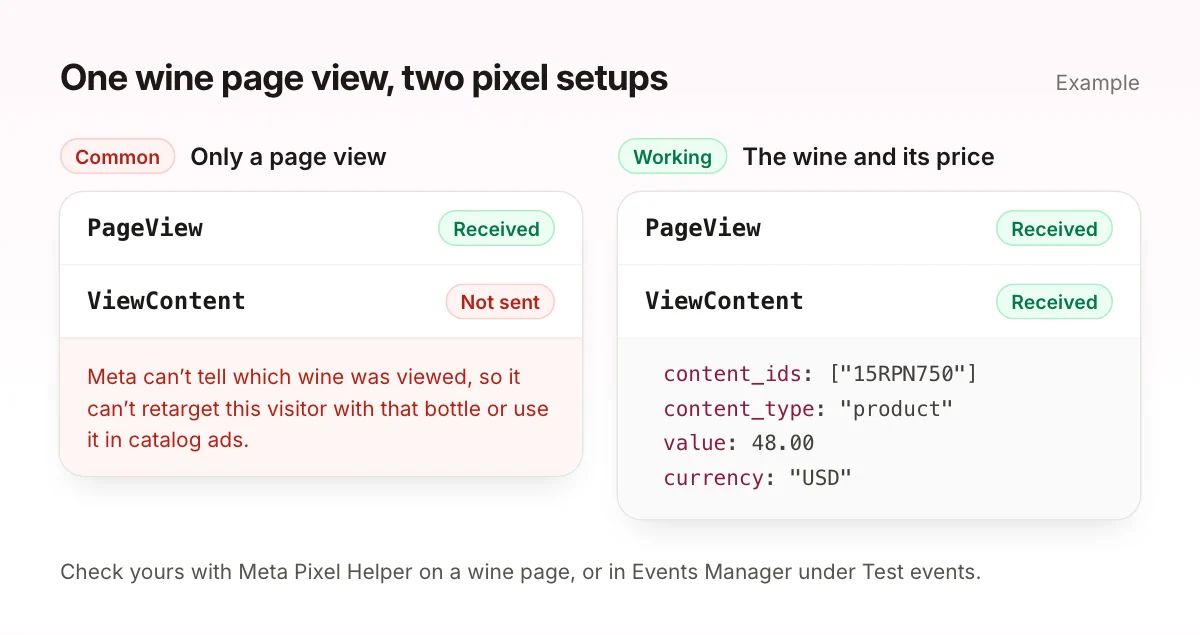
If your wine pages send only PageView, Meta knows someone visited but not which wine they looked at. It can’t retarget them with that bottle, it can’t run catalog ads, and it can’t tell a $20 rosé from a $120 Cabernet when it optimizes for value.
Check your Commerce7 Meta pixel in five minutes
With Meta Pixel Helper
- Install the free Meta Pixel Helper extension in Chrome.
- Open one of your wine pages in a private window. If a cookie banner appears, look at what fires before you click it, then accept and reload.
- Click the extension. You want one pixel ID, one PageView and one ViewContent.
- Expand ViewContent. Look for
content_ids,valueandcurrency. - Add the wine to the cart and check that AddToCart fires with the same details.
In Meta Events Manager
- Open Events Manager and pick your dataset. Meta now calls the pixel a dataset: the pixel ID is the Dataset ID under Settings.
- Open Test events, enter your website address, and open the site from there.
- Browse to a wine and add it to the cart. Events appear within seconds. Check that each one arrives once, and that ViewContent shows the wine’s ID and price.
Events Manager also shows events that arrive from a server, which Pixel Helper can’t see. If an app sends your orders server-side, this is where you confirm them.
The problems we find most often
These are the Meta issues check.wine looks for on every Commerce7 site, roughly in the order we see them.
Wine page views without the wine (no ViewContent)
The most common gap. A Commerce7 wine page loads first and fills in the wine a moment later, in the browser. A pixel snippet in the page header fires PageView straight away, before the wine exists, and nothing then tells Meta which wine appeared. Unless a tag or an app sends ViewContent, Meta only ever sees page views.
ViewContent without the wine’s ID or price
ViewContent fires, but without content_ids, or without value and currency. Meta is told someone viewed a wine, not which one, so it can’t match the view to your product catalog.
Pixel on the homepage, silent on wine pages
The pixel runs on some pages and not on the wine pages. The cause is usually where the code lives: a page template or a tag trigger that the shop pages don’t use.
Two pixels, or every page counted twice
Two different pixel IDs firing is often a leftover from an earlier agency or theme, and it splits your audiences and conversion data. One pixel sending PageView twice usually means it was installed twice, for example in the theme and again in Google Tag Manager.
Automatic events reporting purchases nobody made
Meta’s Automatic events setting guesses events from what is on the page. On wine sites we have seen it send Purchase or InitiateCheckout as soon as a page loads, with no visitor action. Adding autoConfig: false to the pixel code does not stop these. Turn the setting off in Events Manager, under your dataset’s settings.
A cookie banner holding the pixel for everyone
If the pixel waits for consent, Meta misses every visitor who ignores the banner. Some wineries want that. Many have a banner set that way for US visitors without knowing it.
No pixel at all
No pixel script and no events on any page. Unless your orders reach Meta from a server, your Facebook and Instagram ads have no data on who visits or what they buy.
Commerce7 already has the data
The Commerce7 storefront pushes standard ecommerce events into the page’s dataLayer on its own: view_item when a wine loads, then add_to_cart, begin_checkout and purchase, each with the SKU, the price and your store currency. Any Google Tag Manager setup can turn these into Meta events. So if your wine pages send no ViewContent, the data is there. Nothing is passing it on.
One thing to watch: every buy button on a page fires its own view_item. A shop page that lists twelve wines with twelve buy buttons sends twelve. Map view_item to ViewContent on single wine pages only, or your view counts will run high.
The Google Analytics 4 guide lists every event Commerce7 sends.
Pixel and Conversions API: why you want both
A browser pixel misses visitors who block it, and it never sees orders placed away from the website: tasting room, phone and club orders. Meta’s Conversions API sends events from a server instead. With both running and the same event ID on each event, Meta keeps one copy and fills the gaps.
A few apps in the Commerce7 App Store send events to Meta, and a developer can build server-side events with the Commerce7 API. Ours is 1Pixel: it sends every Commerce7 order to Meta from the server, including tasting room, phone and club orders, and can add wine views and carts with the wine and its price. We make it, so weigh that accordingly.
Fixing it
| Problem | Do it yourself | Or have it fixed |
|---|---|---|
| No pixel, or no ViewContent on wine pages | Google Tag Manager tags built from Commerce7’s dataLayer events | Meta tracking install, free with 1Pixel ($29.99/mo) |
| Two pixels, double page views, consent settings | Keep one install in one place, review the banner | Tracking cleanup, $200 |
| Automatic events | Turn the setting off in Events Manager | Part of tracking cleanup |
Every fix is checked live in Meta Events Manager with you, and again with the same scan when it is done. If an issue we fixed still shows, that fix is refunded.
Read next
All guides Guide
Guide
Tock reservations in Meta ads
How Tock bookings reach Meta: Tock’s own pixel, or Commerce7 Full sync and the Conversions API. Avoid double counting and optimize your ads for bookings. Guide
Guide
Google Shopping for Commerce7 wineries
How a Commerce7 winery gets its wines into Google’s free listings and Shopping ads: the alcohol rules, the feed fields that matter and four feed apps compared. Guide
Guide